



Description
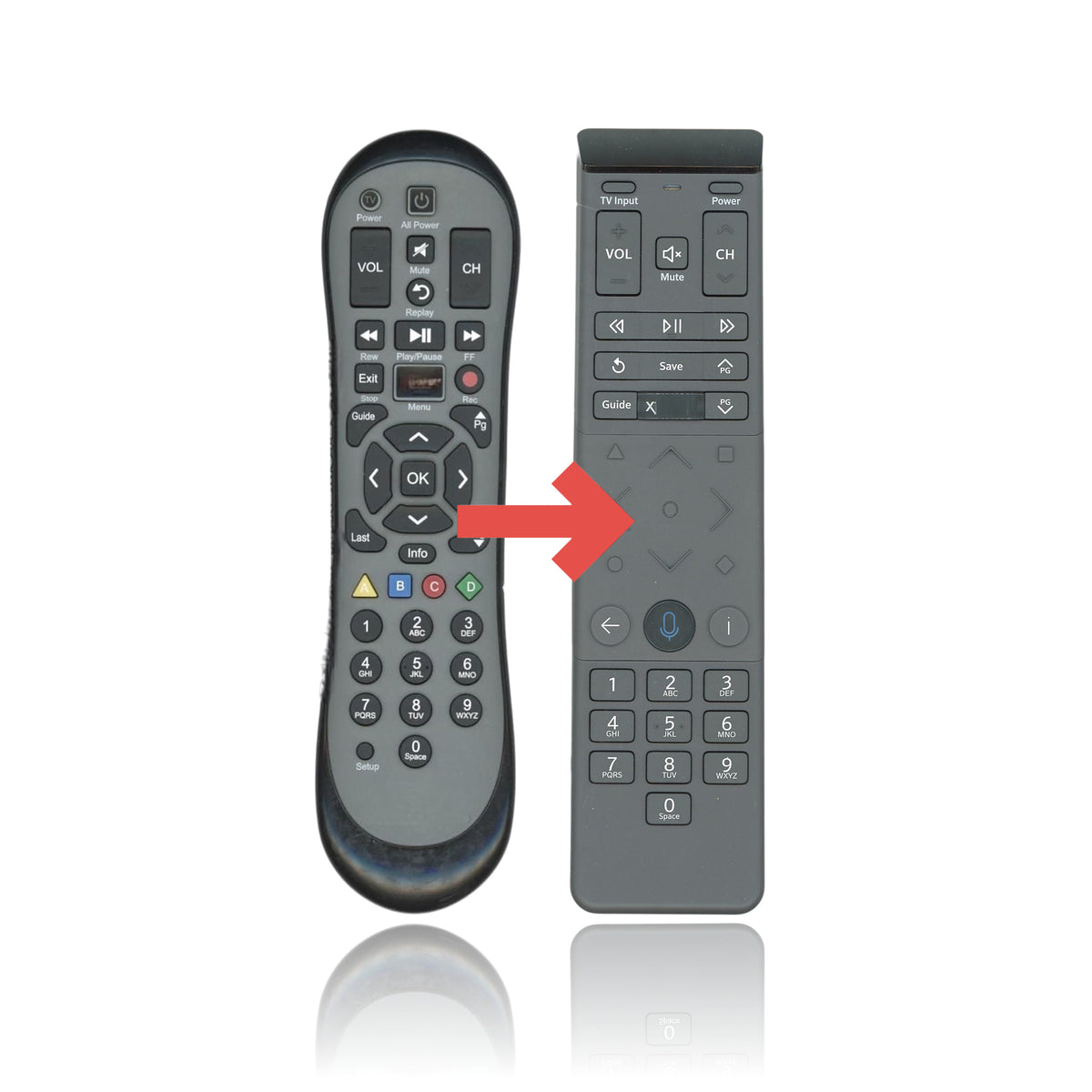
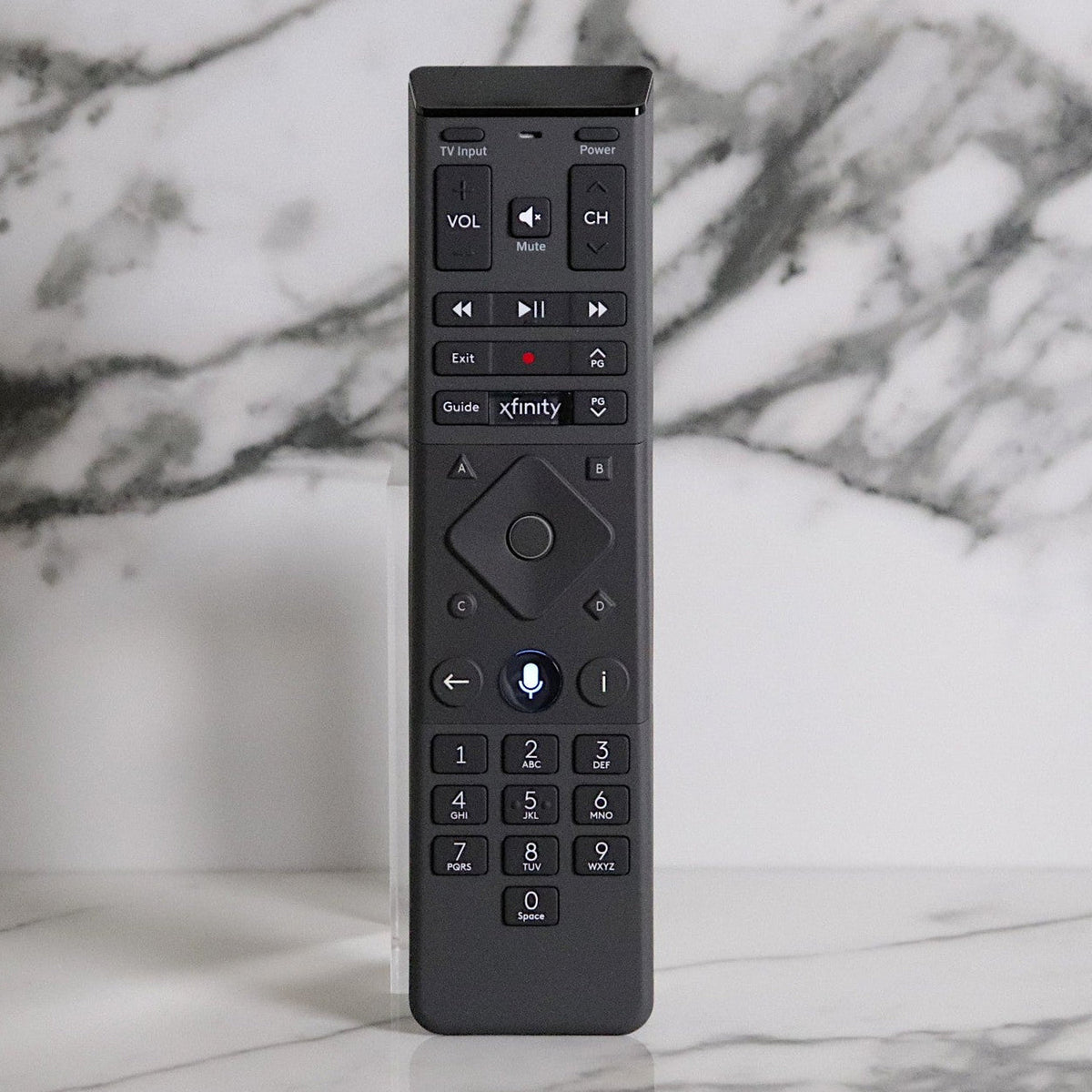
This Xfinity XR15 voice remote is a substitute for the Xfinity XR2 remote. This listing ships model XR15. It works with Comcast Xfinity X1 TV Boxes, such as the XG2, Xi5 and Xi6.
Specifications
- Shipped remote: Xfinity XR15
- Wireless: radio frequency (RF) to the X1 TV Box once paired, so you don't need to aim it; TV power, volume and input control after setup
- Voice control: press and hold the Microphone button and speak to change channels, search and control your DVR
- Batteries: 2 AA (not included)
Good to Know
- Key names, layout and the look of the case differ from the XR2. Compare your original's buttons before ordering.
- The XR15 works with Xfinity X1 TV Boxes and Flex. Unlike the XR2, it does not work with legacy non-X1 cable boxes or Digital Transport Adapters (DTAs).
- The XR15 has no Setup button. It pairs with the X1 TV Box using the button steps below instead of the XR2's Setup codes.
- The XR15 adds voice control, a Microphone button and a TV Input button. Voice is not supported on RNG150 X1 TV Boxes; the other keys still work there.
- Play/Pause, Rewind, Fast Forward, Record, Guide, Info, Exit, the A/B/C/D keys and the number pad are all on the XR15, in a different arrangement from the XR2.
Setup / Pairing
Pair with your X1 TV Box
- Insert 2 AA batteries. Turn on your TV and X1 TV Box, and set the TV to the input your TV Box uses.
- Press and hold the xfinity and Info (i) buttons together for 5 seconds, until the light at the top of the remote changes from red to green.
- Enter the three-digit pairing code shown on the TV screen.
- Follow the on-screen steps to set up power, volume and input control for your TV.
- You can also aim the remote at the TV Box, press the Microphone button and say "Program remote," then follow the on-screen steps.
Control your TV with a code
- Turn on your TV.
- Press and hold the xfinity and Mute buttons together for 5 seconds, until the light changes from red to green.
- Enter the first five-digit code for your TV brand from Xfinity's Remote Code Lookup. The light blinks green twice when the code is accepted, or red then green when it is not.
- Aim the remote at the TV and press Power. If the TV turns off, turn it back on and check that Volume and Mute work. If it does not turn off, repeat with the next code.
Troubleshooting
- To factory reset, press and hold A (triangle) and D (diamond) together for 3 seconds until the light changes from red to green, then press 9-8-1. The light blinks blue three times. Then pair again.
- Once paired, the remote controls only that TV Box. To use it with a different X1 TV Box, reset it and pair again.
- If the remote stops responding, replace the batteries.
What's in the Box
- 1 Xfinity XR15 remote
- Batteries not included
Compatible Models
- Xfinity XR2 (on X1 TV Boxes)
- Supplied with: X1 Series TV Boxes
Before ordering, check the model number printed on your old remote (usually on the back or inside the battery compartment) and compare the photos and button layout to your current remote.
Specifications
Features:
- This Xfinity XR15 voice remote is a substitute for the Xfinity XR2 on Comcast Xfinity X1 TV Boxes. It does not work with legacy non-X1 cable boxes or DTAs.
- Hold xfinity and Info (i) together for 5 seconds until the light turns green, then enter the three-digit code shown on the TV; step-by-step instructions are in the description.
- RF (radio) control of the X1 TV Box once paired, so it does not need to be aimed, plus TV power, volume and input control after setup.
- Voice control: press and hold the Microphone button and speak to change channels, search and control your DVR. Voice is not supported on RNG150 X1 TV Boxes.
- Takes 2 AA batteries, not included. Key names and layout differ from the XR2 and there is no Setup button, so compare your original's buttons before ordering.
Part/Model Number: XR15 / XR15
Power Information: 2 AA Required, Not Included
Supplied with models (if applicable): X1 Series
Compatible with models (if applicable): XR2
Compatible Substitutes and Related Products
- 5 stars: 11 (100%)
- 4 stars: 0 (0%)
- 3 stars: 0 (0%)
- 2 stars: 0 (0%)
- 1 star: 0 (0%)
Perfect! In perfect working condition, in fact this remote works better than the original! I also ordered the batteries, which were fresh. I'm delighted with the quick service, the high quality of this product and with the price! Many thanks!/Jayne
Thank you for getting it to me so promptly.
This customer rated this item 5 out of 5 stars (left no comment).
This customer rated this item 5 out of 5 stars (left no comment).
Exactly what I needed, and it works perfectly. Thank you!
Very pleased with the remote
This customer rated this item 5 out of 5 stars (left no comment).
East to install and worked right the first time!!
It does allthat the original one did.
The remote arrived in a timely manner and worked fine!
Worked with existing system without problem.