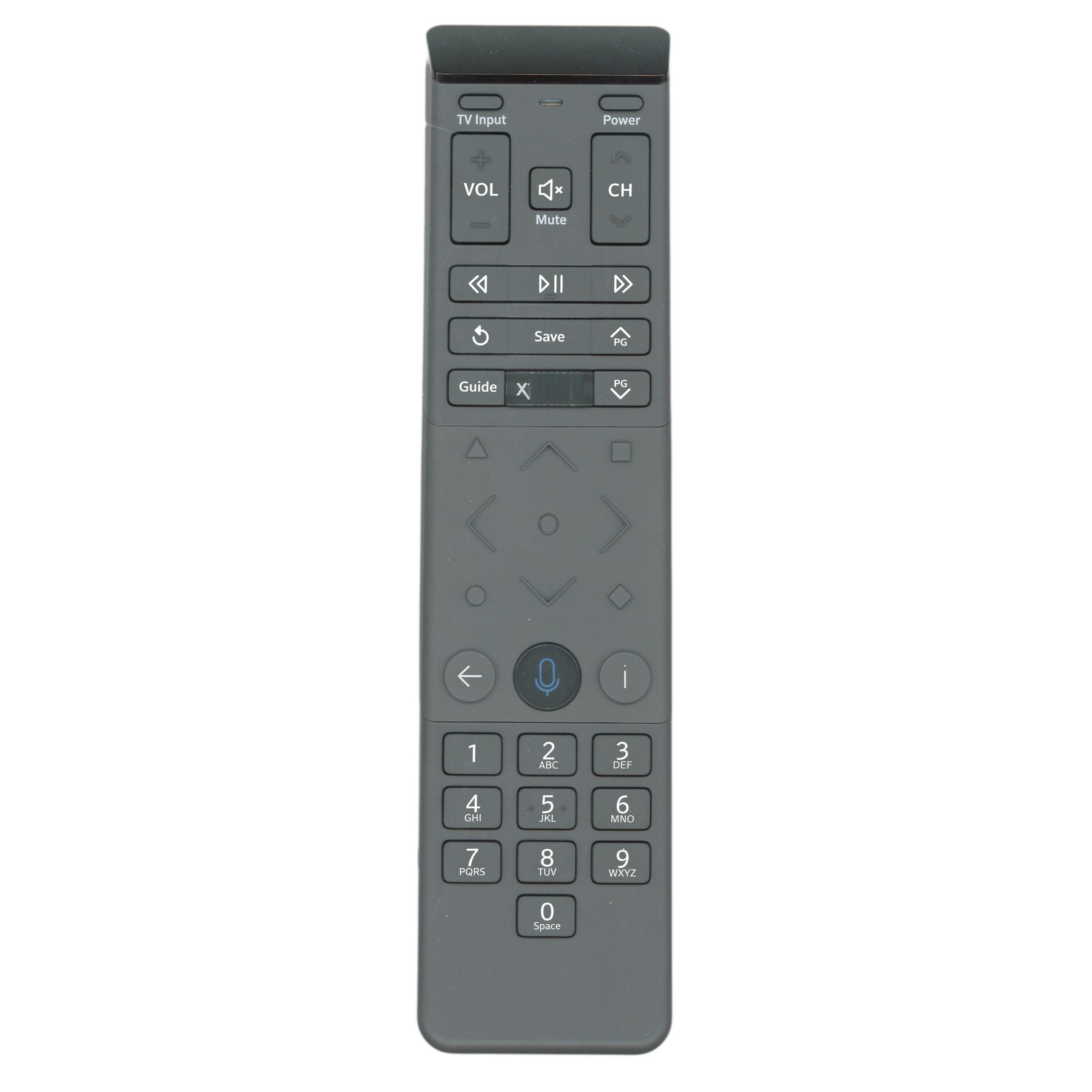
Xfinity XR15 Backlit Cable Box Remote Control with Voice - XR15

Save 23%

Price:
Sale price$24.95 Regular price$32.40
Stock:
In stock (75 units) | Same day shipping*

Key Features

  • The remote that came with Xfinity Cable boxes, including XG2, Xi5 and Xi6.
  • Aim at the TV Box, press the Voice button and say "Program remote," then follow the screen; step-by-step instructions are in the description.
  • RF (radio) operation, so it does not need to be aimed once paired.
  • Voice control (press and hold the voice button and speak) and backlit keys. Works with Xfinity X1 cable boxes; it is not a universal remote.
  • Takes 2 AA batteries, not included.

Description

Specifications

Compatible Substitutes and Related Products

  • 5 stars: 4 (100%)
  • 4 stars: 0 (0%)
  • 3 stars: 0 (0%)
  • 2 stars: 0 (0%)
  • 1 star: 0 (0%)
J
James Eippert

Works great. Little difficult with on screen instructions.

Hi James, thanks for your positive feedback! I understand the on-screen instructions can be a bit tricky. If you ever need help with setup, feel free to reach out. We're here to assist!

D
Deborah Saran
Excellent service,Xfinity Remote Control! and remote was complete with

Excellent service, and remote was complete with instructions and came in record time! Thank you, Anderic!

Thank you so much for the wonderful review! We're thrilled to hear everything arrived quickly and met your expectations. We're always here if you need us again! – The Anderic Team

N
Nettie Neiderer

Very fast service and easy to install

Thank you for the great feedback! We're glad to hear the installation was easy and that your order arrived quickly. We appreciate your support! – Anderic

J
Jeff Bennett

This customer rated this item 5 out of 5 stars (left no comment).

I
Infinity remote

What are the tiny ABCD buttons for

Anderic

This remote will work just like the original, so all buttons from the old one to the new one will share functionality.

c
c fuller

where can I get a copy of the instructions for the
XFINITY XR15 CABLE REMOTE CONTROL - XR15

Anderic

Hi, you can try going to Xfinity's support website or doing a Google search for the insturctions. We only have the following instructions:
To use your XR15 remote to control your Xfinity X1 TV Box, follow these steps:
1. Make sure the remote batteries are installed and your TV and TV Box are powered on.
2. Set the TV input to the input connected to the Xfinity X1 TV Box.
3. Press and hold the xfinity and Info buttons for five seconds. Wait for the remote light to change from red to green.
4. Follow the instructions by entering the three-digit, on-screen pairing code.
5. Once your remote is paired, follow the on-screen instructions to set up power, volume and input control for your TV.

Recently viewed