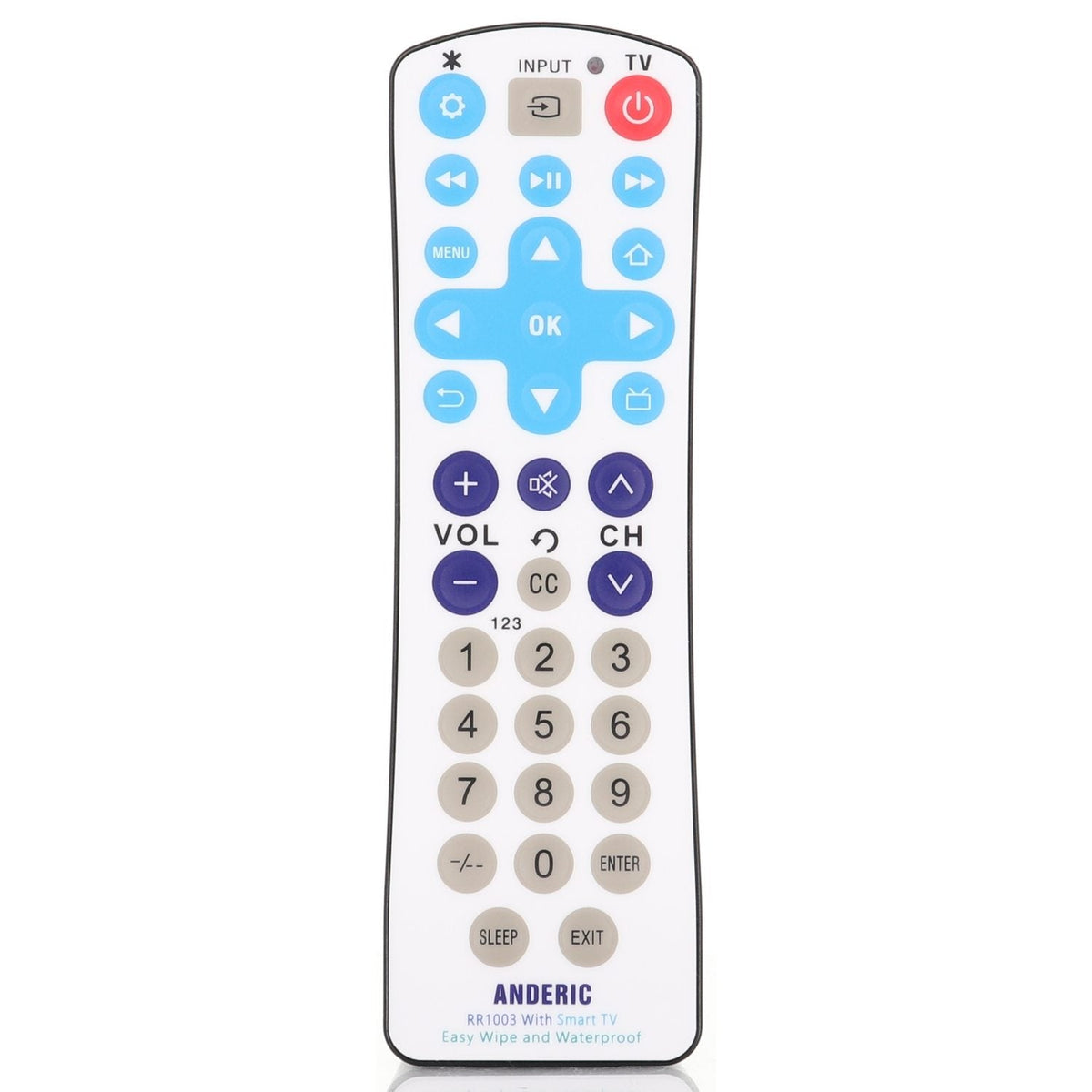
The Anderic RR1003 is a substitute for the RCA 38W766 antimicrobial 1-device universal remote. It is a 1-device universal infrared (IR) smart-TV remote with a sealed EzWipe surface. Programming is required.
Specifications
- Shipped remote: Anderic RR1003
- Infrared (IR): aim it at the device; a clear line of sight is needed
- Batteries: 2 AAA (not included)
Good to Know
- Key names, layout and the look of the case may differ from the original. Compare your original's buttons before ordering.
- This remote controls one device only. Program it with the code for the TV brand your RCA 38W766 was used with.
- The sealed EzWipe surface is made to be wiped clean.
- We may ship the newest model of this remote.
Setup / Pairing
- Using a coin, turn the slot at the bottom of the remote 1/4 turn counterclockwise to open the battery door. Insert 2 AAA batteries (not included), matching the polarity marks, then align the cover and turn 1/4 turn clockwise until tight.
- To program by code: press and hold TV POWER and OK together for about 3 seconds until the indicator light turns on, then release.
- Enter the 4-digit code for the TV brand your RCA 38W766 was used with. If the code is accepted, the light turns off. If it is not, the light flashes four times and programming ends. For an RCA TV, use an RCA code from the User Guide (including 1007, 1008, 1017, 1018 and others listed there). Test the keys. If they do not all work, repeat with a different code.
- Fast search (if you do not have a working code): press and hold TV POWER and CH+ together for about 3 seconds until the light turns on, then release. Press or hold CH+ (forward) or CH- (backward) until the TV responds by adjusting the volume, then release. Test other keys, then press OK to save; the light turns off.
- Learning mode (needs the original infrared remote): press and hold TV POWER and VOL+ together for about 3 seconds until the light turns on, then release. With the remotes 3–5 cm apart, press and release the key on the original remote (the light flashes), then press and release the same key on the RR1003 (the light stays on). Repeat for each key, then press and hold TV POWER and VOL- to save and exit. See the User Guide for full instructions.
What's in the Box
- 1 Anderic RR1003 remote
- Batteries not included
Compatible Models
Before ordering, check the model or part number printed on your old remote (usually on the back or inside the battery compartment) and compare the photos and button layout to your current remote. If you are not sure, contact us with your model or a photo of the original remote.