
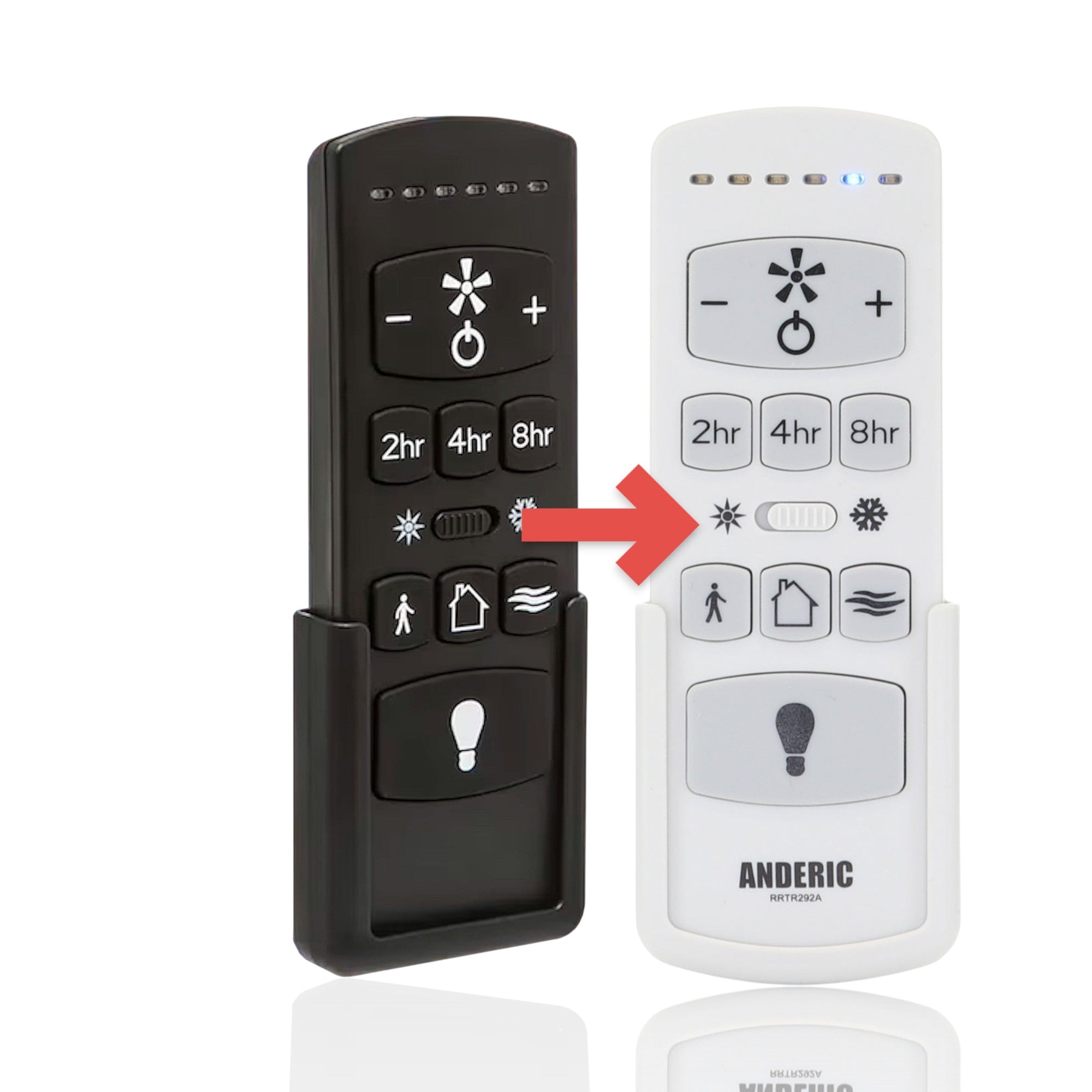


Description
The Anderic RRTR292A is a substitute for the Harbor Breeze KUJCE10612 remote. It is a ceiling fan remote paired via LEARN. It works with ceiling fans such as 43326 Hydra 70in.
How to confirm the fit
Find the FCC ID on the back of your old remote or inside its battery compartment. It should match KUJCE10612. Match your complete original remote or receiver model against the verified compatibility list and pairing hardware. Listed FCC IDs are examples or identifiers, not a requirement that every compatible original share one FCC.
Specifications
- Shipped remote: Anderic RRTR292A
- Shipped remote FCC ID: 2AQZU-18053
- Replaces original remote with FCC ID KUJCE10612
- Radio frequency (RF): 433.92 MHz
- Batteries: 2 AAA (not included)
Good to Know
- It works only with the receiver type your old remote controlled; check the FCC ID before ordering.
- Key names and layout may differ from the original. Compare your original's buttons before ordering.
Setup / Pairing
- Insert 2 AAA batteries (not included).
- Turn the power to the fan off at the wall switch or circuit breaker. Then turn it back on.
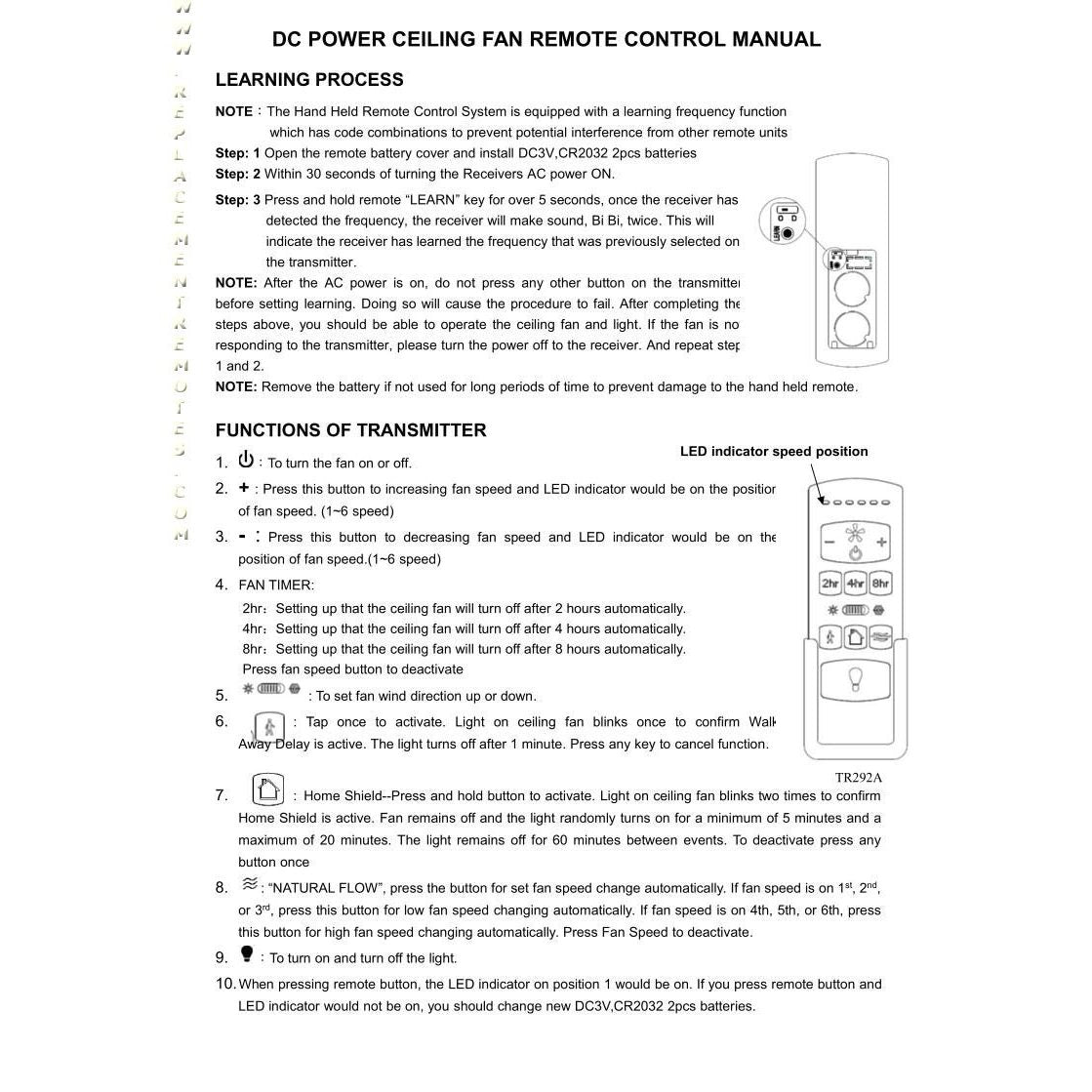
- Within 30 seconds of turning the power on, press and hold LEARN for more than 5 seconds. Do not press any other key first, or the procedure fails.
- Test that the fan responds to the remote.
- If the fan does not respond, turn the power off and repeat steps 2 and 3.
What's in the Box
- 1 Anderic RRTR292A remote
- Batteries not included
Compatible Models
- Harbor Breeze KUJCE10612
- Supplied with: 43326 Hydra 70in
Before ordering, check the model or part number printed on your old remote (usually on the back or inside the battery compartment) and compare it to this list.
Specifications
Product help/documentation (if applicable): User Guide
Features:
- Replaces your Harbor Breeze KUJCE10612 with a ceiling fan remote paired via LEARN. Fits units such as 43326 Hydra 70in.
- To set it up in place of your Harbor Breeze KUJCE10612, turn the fan power off and on. Within 30 seconds, press and hold LEARN for more than 5 seconds.
- Dedicated keys control the fan speed and the light.
- Power, fan speed + and - (6 speeds) and fan timer. Specifically engineered for 6-speed DC fans, the remote offers a wide range of features to enhance your comfort and convenience.
- Takes 2 AAA batteries, not included.
Part/Model Number: KUJCE10612 / KUJCE10612
Power Information: 2 AAA Required, Not Included
FCC ID (if applicable): 2AQZU-18053
Frequency (if applicable): 433.92 MHz
Supplied with models (if applicable): 43326 Hydra 70in
Compatible with models (if applicable): KUJCE10612, 43326
Compatible Substitutes and Related Products
- 5 stars: 18 (86%)
- 4 stars: 0 (0%)
- 3 stars: 0 (0%)
- 2 stars: 0 (0%)
- 1 star: 3 (14%)
I recently bought a home and the previous owners did not leave the remote for the ceiling fan and without the remote you can't turn on the lights or adjust the speed of the fan. Thankfully a quick google search led me to this direct replacement. Arrived in only a few days and within 5 minutes the remote was paired to the fan and works seamlessly. A great product that saved me the money of replacing the entire ceiling fan. Well worth the price!
Worked great, received quickly, great price. Couldn't have asked for more. Thanks
Thank you for your kind words! We’re glad to hear everything worked great and we truly appreciate your support—thanks again for choosing us!
Typed in the model and got a totally different one. Doesn't work on my fan and no way to send it back. Not happy
Fast service
I bought a home with a “70 Harbor Breeze Hydra fan, but was never given a remote. After taking a picture of the fan and doing a google image search I ended up here. I took a chance and ordered this remote from Anderic. I installed batteries, powered the fan on, and held the reset button in the remote by the battery compartment for a few seconds to program the remote. It paired up with the fan easily, and I’m very happy!
simple fix to gain full functionality of the fan again
Easy to program and it was working in under 3 minutes.
Thanks for sharing your feedback! We're glad to hear your remote was easy to program and up and running in just a few minutes. We appreciate you choosing Anderic!
Easy set up and it replaced our worn out fan remote.
It took one minute to connect. Work perfectly
That’s great to hear! We’re glad setup was quick and that it’s working perfectly for you.
Worked wonderfully.
I lost my remote and ordered a replacement. The set up took less than a minute. Works just like the original.
Thank you for leaving such a positive review! We are glad to hear that the Anderic TR292A / KUJCE10612 remote worked seamlessly as a replacement for your lost one. We strive to provide easy and efficient solutions for our customers. Thank you for choosing our product!
Very easy to program and quick delivery. Thanks.
Doesn’t work
Very simple to program and am so happy to finally have my fans working again. Initially I thought I would have to change the transmitter. So glad I found these remotes.
Got it hand it to them, it's perfect except for the color. You have to turn off the fan at the wall switch or circuit breaker and within 30 seconds of turning it back on press and hold to learn button in the battery compartment for 5 seconds. My light flashed a few times and after that the remote worked perfectly!
The replacement remote control did not work for our ceiling even though the label said that it should. Probably a product issue.
Hi there, we're sorry to hear that the remote control did not work for your ceiling fan. We understand how frustrating that can be. Please reach out to us at help@anderic.com and we would be happy to assist you with troubleshooting or finding a solution. Thank you for bringing this to our attention.
Awesome! Perfect replacement works great!
This remote replacement was just what I needed and it was compatible to my ceiling fan. Not to mention took less than a minute to sync using the instructions provided.
Anderic RRTR292A for Harbor Breeze KUJCE10612 TR292A TRD050G1M 2AQZU18053 Ceiling Fan Remote Control
That was easy; open the package, install the batteries, press the sync button, and mount. Enjoy!
I bought the control a long time ago and they said it would take a while
but I still bought it
the delivery was successful
and they were responsible.
How does it work?
Insert 2 AAA batteries (not included).
If the remote is replacing an existing one, pair it with the fan by turning the fan's power OFF, then ON. Within 30 seconds, press and hold the LEARN button inside the battery compartment for about 5 seconds.
Once paired, you can control the fan's 6 speeds, light on/off, fan timer (2, 4, or 8 hours), breeze mode, walk-away light, and home-away mode, depending on your compatible fan model.