


Description
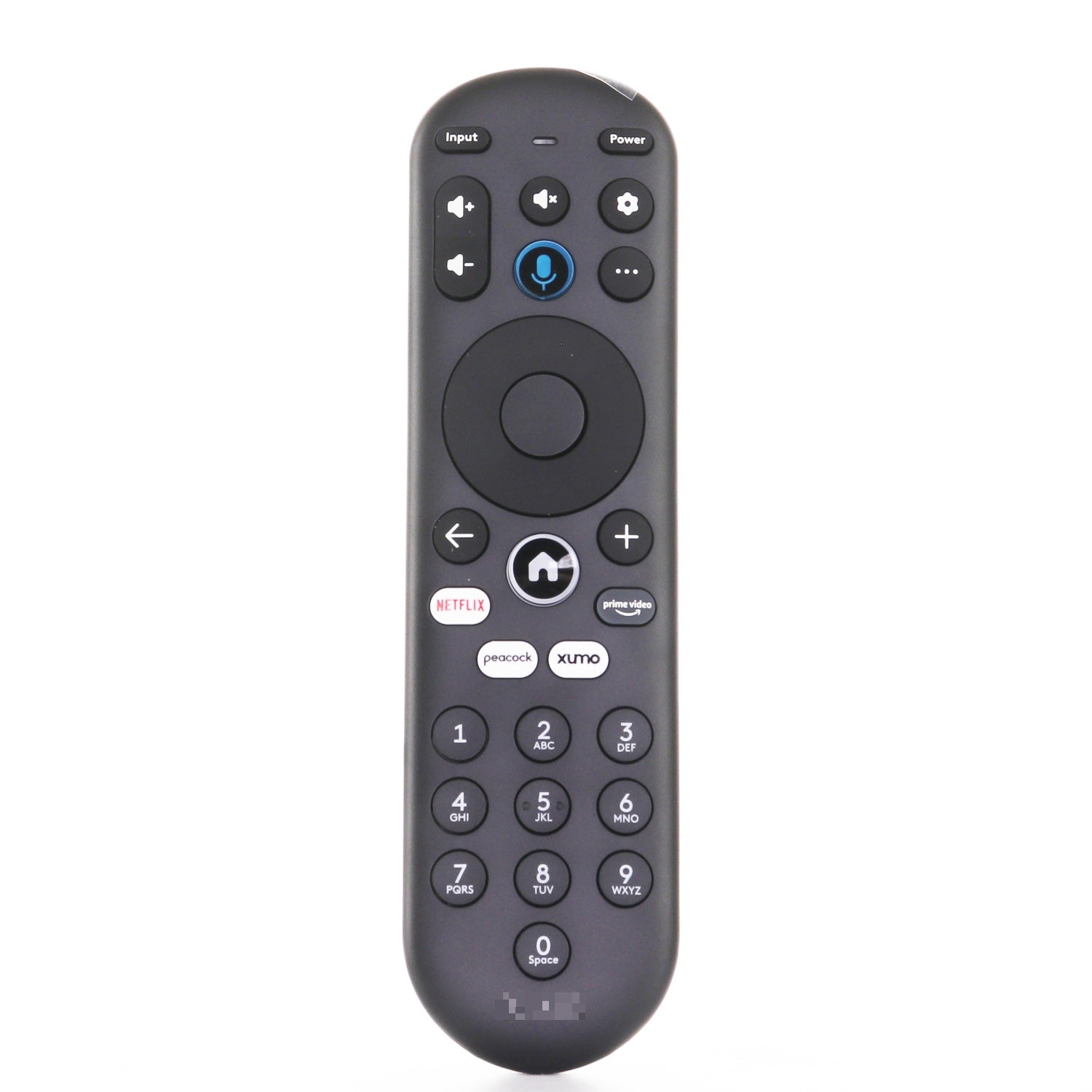
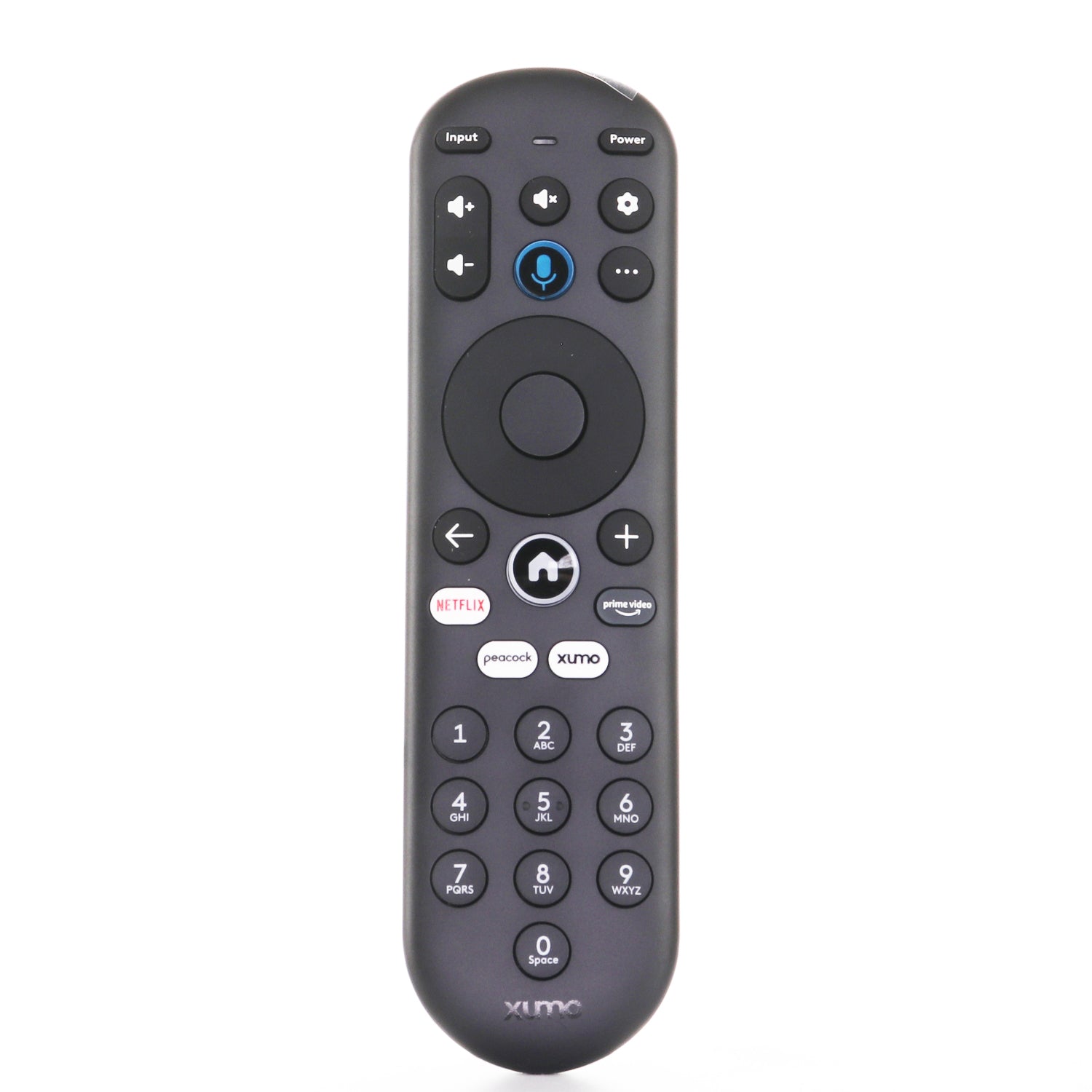
La télécommande Dan’s Originals Xumo XClass MG3-R34010 est compatible avec les boîtiers de streaming Xumo, les téléviseurs Xumo et les modèles de marque tels que Pioneer, Element et les téléviseurs Hisense Xumo. Elle a été initialement incluse avec le boîtier de streaming 4K et le boîtier de streaming Spectrum 4K, offrant une navigation rapide et intuitive avec des boutons de raccourci d'application dédiés – ainsi qu'un accès exclusif à plus de 300 chaînes gratuites via le bouton Xumo Play. Cette télécommande intelligente dispose d'une recherche vocale avancée, vous permettant de dicter des commandes pour trouver, lancer ou sauvegarder votre contenu préféré. Vous pouvez facilement parcourir plusieurs applications et plateformes et ajouter des sélections à « Ma liste » pour un accès rapide ultérieur. Que vous regardiez en direct ou à la demande, elle offre une expérience fluide et agréable. Remarque : Les configurations de la télécommande peuvent varier en fonction des boutons de raccourci.
Fourni à l'origine avec les boîtiers Xumo Stream : XiOne, XiOne-SC(B), SCXI11BEI, ES1, ESST11AEI, les téléviseurs Hisense XClass, les téléviseurs Pioneer XClass, les téléviseurs Element XClass.
Caractéristiques
Product help/documentation (if applicable): Installation Instructions
Features:
- Compatible avec les boîtiers Xumo Stream Box et les téléviseurs Xumo (y compris les modèles Pioneer, Element et Hisense)
- Comprend la commande vocale pour faciliter la recherche et la navigation de contenu
- Raccourcis d'application dédiés et accès exclusif à Xumo Play
- Prend en charge « Ma liste » pour enregistrer le contenu préféré.
- Peut inclure différents boutons de raccourci selon la disponibilité
Part/Model Number: XUMORC-PR1 / XUMORC-PR1
Power Information: 2 AAA Obligatoire, non inclus
FCC ID (if applicable): MG3-R34010
Supplied with models (if applicable): Boîtier de streaming Spectrum 4k, 43A6GX, 43A6GX3, 50A6G, 50A6GX, 50A6GX3, E300AE24C, E300AE32C, E300AE40C, E500AC43C, E500AC50C, E500AC55C, E500AC65C, E550AE43C, E550AE50C, E550AE55C, E550AE65C, E550AE75C, E550AE86C, ES1, ESST11AEI, PN4375124U, PN50-751-24U, PN5075124U, PN5575124U, PN6575124U, PR3, SCXI11BEI, Boîtier de streaming 4K, XiOne, XiOne-SC(B), Téléviseurs Hisense XClass, Téléviseurs Pioneer XClass, Téléviseurs Element XClass
Compatible with models (if applicable): XiOne, XiOne-SC(B), SCXI11BEI, ES1, ESST11AEI, téléviseurs Hisense XClass, téléviseurs Pioneer XClass, téléviseurs Element XClass. , PR3, MG3-R34010, 297107, téléviseur Pioneer Xumo, CP-RC1NA-23, PN50-751-24U, Hisense X, 43A6GX, 50A6G, PN4375124U LED 4K UHD Smart Xumo, PN5075124U LED 4K UHD Smart Xumo, PN5575124U LED 4K UHD Smart Xumo, PN6575124U LED 4K UHD Smart Xumo, 43A6GX 2021 43 pouces XClass, 43A6GX3 2021 43 pouces XClass, 50A6GX 2021 50 pouces XClass, 50A6GX3 2021 50 pouces XClass, E500AC43C 43 4K UHD HDR XUMO, E500AC50C 50 4K UHD HDR XUMO, E500AC55C 55 4K UHD HDR XUMO, E500AC65C 65 4K UHD HDR XUMO, Stream Box 4K, téléviseur Element 98" 4K UHD HDR XUMO, téléviseur E300AE24C 24" 720P HD XUMO, téléviseur E550AE86C 86" 4K UHD HDR XUMO sans cadre avec Dolby Vision + 120hz effectif, téléviseur E550AE75C 75" 4K UHD HDR XUMO sans cadre avec Dolby Vision + 120hz, téléviseur E550AE65C 65" 4K UHD HDR XUMO sans cadre, téléviseur E550AE55C 55" 4K UHD HDR XUMO sans cadre, téléviseur E550AE50C 50" 4K UHD HDR XUMO sans cadre, téléviseur E550AE43C 43" 4K UHD HDR XUMO sans cadre, téléviseur E300AE40C 40" 1080P FHD XUMO, téléviseur E300AE32C 32" 720P HD XUMO, téléviseur E500AC65C 65" 4K UHD HDR Xumo, téléviseur E500AC50C 50" 4K UHD HDR Xumo, téléviseur E500AC55C 55" 4K UHD HDR Xumo, téléviseur E500AC43C - 43" 4K UHD HDR Xumo, 43A6GX 2021 43 pouces XClass, 43A6GX3 2021 43 pouces XClass, 50A6GX 2021 50 pouces XClass, 50A6GX3 2021 50 pouces XClass, E500AC43C 43 4K UHD HDR XUMO, E500AC50C 50 4K UHD HDR XUMO, E500AC55C 55 4K UHD HDR XUMO, E500AC65C 65 4K UHD HDR XUMO, PN4375124U LED 4K UHD Smart Xumo, PN5075124U LED 4K UHD Smart Xumo, PN5575124U LED 4K UHD Smart Xumo, PN6575124U LED 4K UHD Smart Xumo, Stream Box 4K, boîtier de diffusion XiOne-SC(B), boîtier de diffusion SCXI11BEI.
Vous aimerez peut-être aussi
- 5 stars: 26 (84%)
- 4 stars: 2 (6%)
- 3 stars: 1 (3%)
- 2 stars: 0 (0%)
- 1 star: 2 (6%)
Works the way it should. Very grateful for finding the this website after trying 8-9 other remotes and paying someone to try to get a remote to work. They were able to get the power, channel, and volume buttons to work for about six months. That’s when I started searching for another remote and found Anderic. Put batteries in and it connected and has been working for the last week
exactly what i needed thank you very much
Save da day my daughter was driving me crazy to get her a replacement remote because she got mad and broke her old one thanks yall❤️😍
Perfect! Worked as soon as it came out the package
Works great
Fast shipping. Had to replace a lost remote and bet if grandson didnt lose new one next day but he found old one.
OEM
Great 👍 👌
I put batteries in and it works. Not as many buttons as the
factory remote. But all the ones I use 100% HAPPY
cannot be happier, great quality.
Everything that’s fine except for the power button maternity be on wouldn’t work but the power button to turn it off
Ordered Friday and got it Monday put batteries in and turned my TV on this company is Absolutely Wonderful just make sure you know your tvs exact model number
Works fantastic right out of the package!
Thank you for leaving a review! We’re so happy to hear that it works fantastic right out of the package. Your feedback means a lot to us, and we truly appreciate you taking the time to share your experience. Enjoy!
Exact replacement and was thrilled to find it. I did not want a universal model. I think it was a little more expensive than what I wanted to pay but bite the bullet and glad I did. Purchase went smoothly would do business with this merchant again.
Thank you for your thoughtful review! We’re so glad you found the exact replacement you were looking for. We’re happy to hear you found the value worthwhile in the end. We truly appreciate your trust in us and look forward to serving you again!
I press button it's slow to respond.
Perfect replacement 👌
Thank you for the great review! We're happy to hear it was the perfect replacement. Let us know if you need anything else! – The Anderic Team
Excellent replacement. Automatic pairing with my television, but had to physically pair it to get voice control to work, and that worked perfectly! Very satisfied with performance, price and delivery time.
Works perfect. I didn't even have to program it. I will definitely be ordering from them again
This is the second notification that I did not receive this package. Very disappointed. UPS states left in mail now. Well I have a small drop and it would not have fit.
Element XUMO TV Voice TV Remote Control - 7601-Z00720-0044EMTK
No problems amazing
Fantastic
Got it Monday , 3 days
It was easy glad it came
Everything pretty prefect
Works perfect
This customer rated this item 5 out of 5 stars (left no comment).
This customer rated this item 5 out of 5 stars (left no comment).
Extract remote I needed. Works perfectly. I give this company 5 stars and excellent customer service
Received it very quickly. Excellent condition and exactly what I needed.
Does not wotk as advertised
Will this xumo remote,,work with Samsung smart tvs?
Hi, thanks for your question. No — this remote (XUMORC-PR1) is
designed specifically for Xumo XiOne stream boxes and Xumo/XClass TVs
(Hisense, Pioneer, and Element XClass models). It pairs wirelessly
(RF/Bluetooth) to the Xumo device, so it will not operate a Samsung
smart TV on its own. If you need a remote for a Samsung TV, we carry
Samsung-specific replacement remotes on our website.
How do you view what a show is about through the guide on this remote
To view information about a show while using the guide, highlight the program and press the More (⋯) button on the remote. Depending on the screen you're on, this will display additional options, including program details and descriptions. If you're already watching a live program, you can also try pressing the Up Arrow to bring up the program information banner.